क्रिकेट स्पोर्ट्स बॉलीवुड राजनीति जॉब - एजुकेशन बिजनेस लाइफस्टाइल देश अंतरराष्ट्रीय टेक्नोलॉजी छत्तीसगढ़

---Advertisement---

The Art of Drawing Readers In: Your attractive post title goes here

On: दिसम्बर 22, 2025 6:37 पूर्वाह्न
Follow Us:
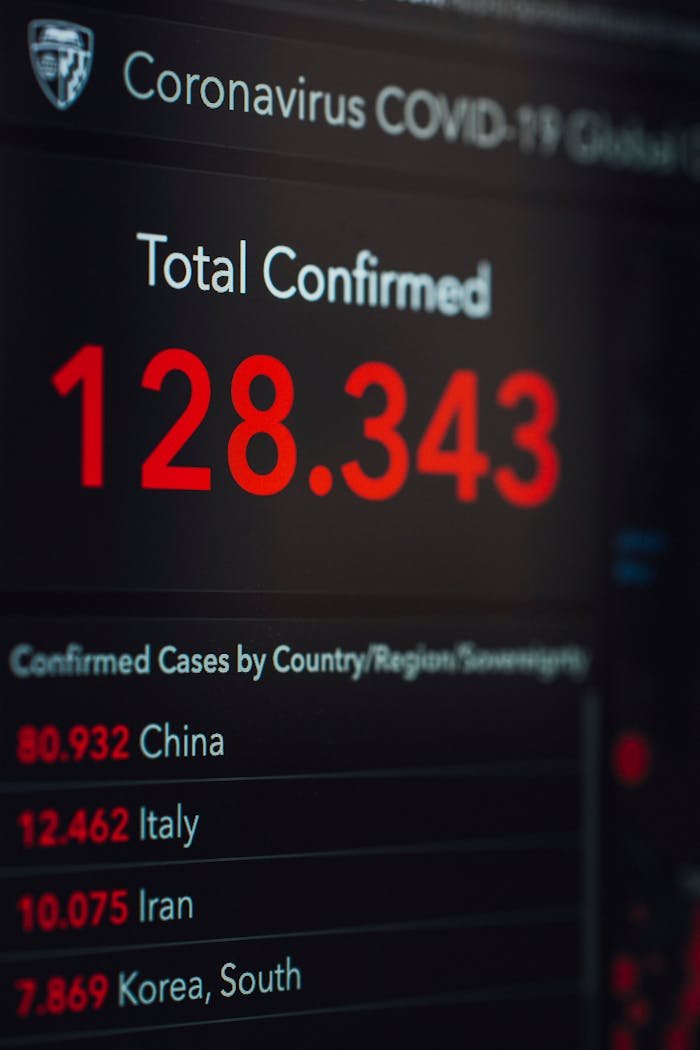
Close-up of COVID-19 statistics showing confirmed cases globally.
---Advertisement---

Engaging Introductions: Capturing Your Audience’s Interest

The initial impression your blog post makes is crucial, and that’s where your introduction comes into play. Hook your readers with a captivating opening that sparks curiosity or emotion. Address their pain points or questions to establish a connection. Outline the purpose of your post and give a sneak peek into what they can expect. A well-crafted introduction sets the tone for an immersive reading experience.

Crafting Informative and Cohesive Body Content

Within the body of your blog post lies the heart of your message. Break down your content into coherent sections, each with a clear heading that guides readers through the narrative. Dive deep into each subtopic, providing valuable insights, data, and relatable examples. Maintain a logical flow between paragraphs using transitions, ensuring that each point naturally progresses to the next. By structuring your body content effectively, you keep readers engaged and eager to learn more.

Powerful Closures: Leaving a Lasting Impression

Concluding your blog post isn’t just about wrapping things up – it’s your final opportunity to leave a strong impact. Summarize the key takeaways from your post, reinforcing your main points. If relevant, provide actionable solutions or thought-provoking questions to keep readers thinking beyond the post. Encourage engagement by inviting comments, questions, or sharing. A well-crafted conclusion should linger in your readers’ minds, inspiring them to explore further or apply what they’ve learned.

Join WhatsApp

Join Now

Join Telegram

Join Now

Leave a Comment

// Function to get current page info for sharing const currentUrl = window.location.href; const pageTitle = document.title; // --- 1. Follow Your Official Pages --- // These links go directly to the URLs you provided // Instagram Follow document.getElementById('wpliteInstagramFollow').addEventListener('click', function() { const instaUrl = 'https://www.instagram.com/worldprime.news?igsh=N3I0azl5ZTd1b3U5&utm_source=qr'; window.open(instaUrl, '_blank'); }); // Facebook Follow document.getElementById('wpliteFacebookFollow').addEventListener('click', function() { const fbUrl = 'https://www.facebook.com/share/1ATWDHQiYR/?mibextid=wwXIfr'; window.open(fbUrl, '_blank'); }); // --- 2. Share Current Page to Others --- // These remain as "Sharing" functions // WhatsApp Share document.getElementById('wpliteWhatsAppShare').addEventListener('click', function() { const whatsappUrl = 'https://api.whatsapp.com/send?text=' + encodeURIComponent(pageTitle + " " + currentUrl); window.open(whatsappUrl, '_blank'); }); // Twitter Share document.getElementById('wpliteTwitterShare').addEventListener('click', function() { const twitterUrl = 'https://twitter.com/intent/tweet?url=' + encodeURIComponent(currentUrl) + '&text=' + encodeURIComponent(pageTitle); window.open(twitterUrl, '_blank'); }); // --- 3. Mobile Native Share (The Floating Button) --- document.getElementById("mobileShareFloatingButton").addEventListener("click", function (e) { e.preventDefault(); if (navigator.share) { navigator.share({ title: pageTitle, url: currentUrl }) .then(() => console.log("Share successful")) .catch(err => console.error("Share failed", err)); } else { alert("Native sharing not supported. Use the icons below!"); } });